

- React / Next.js with Hooks
- React / Next.js
- HTML
- Angular
- Vue.js
Install types (optional)
If you’re using TypeScript, you can install the types package.
npm install --save-dev @veltdev/types
Grab your Velt API Key
Go to console.velt.dev and grab your Velt API Key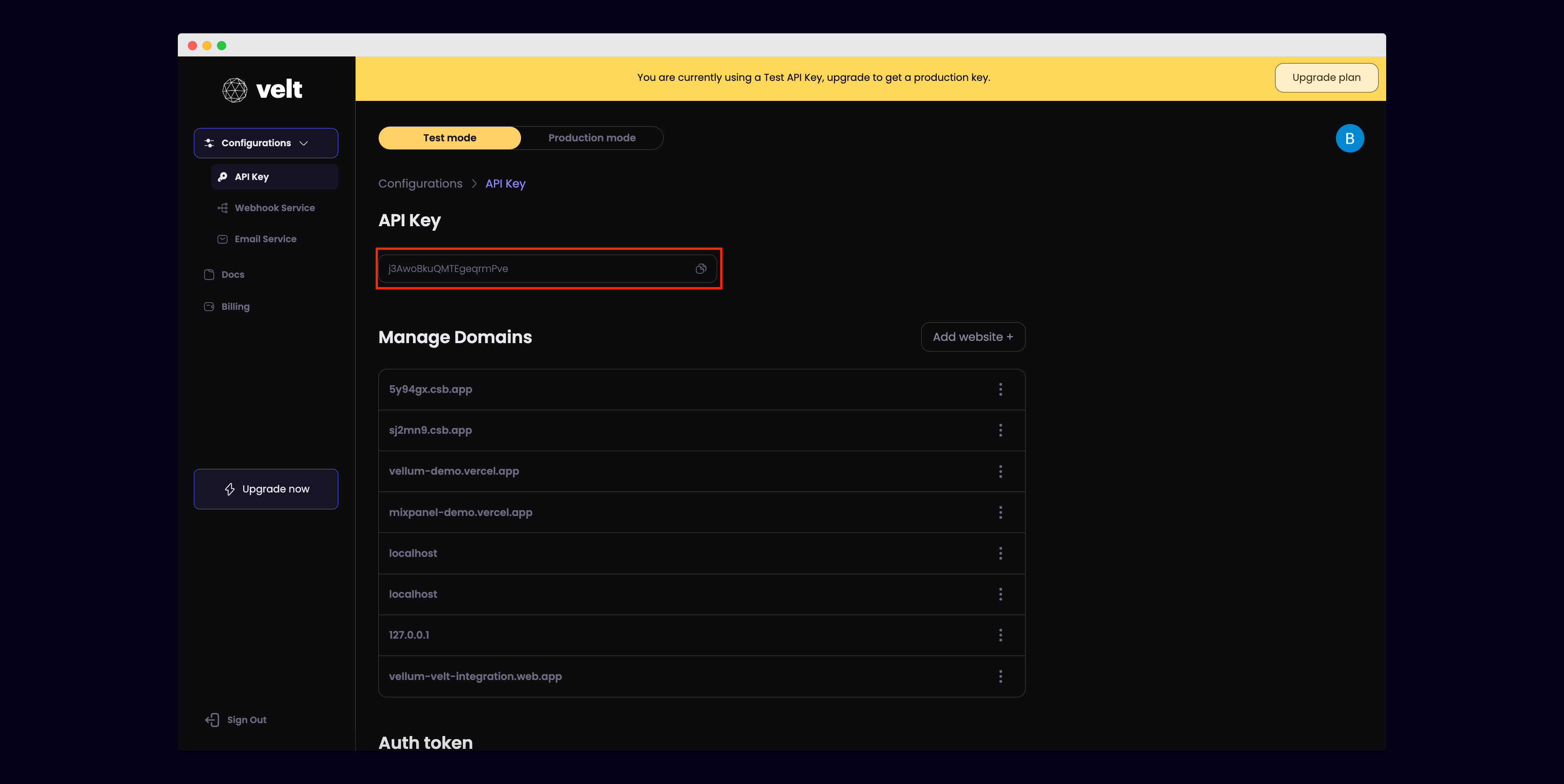
Safelist your domain
In the Velt console, add the URL where your app is deployed to the list of Managed Domains.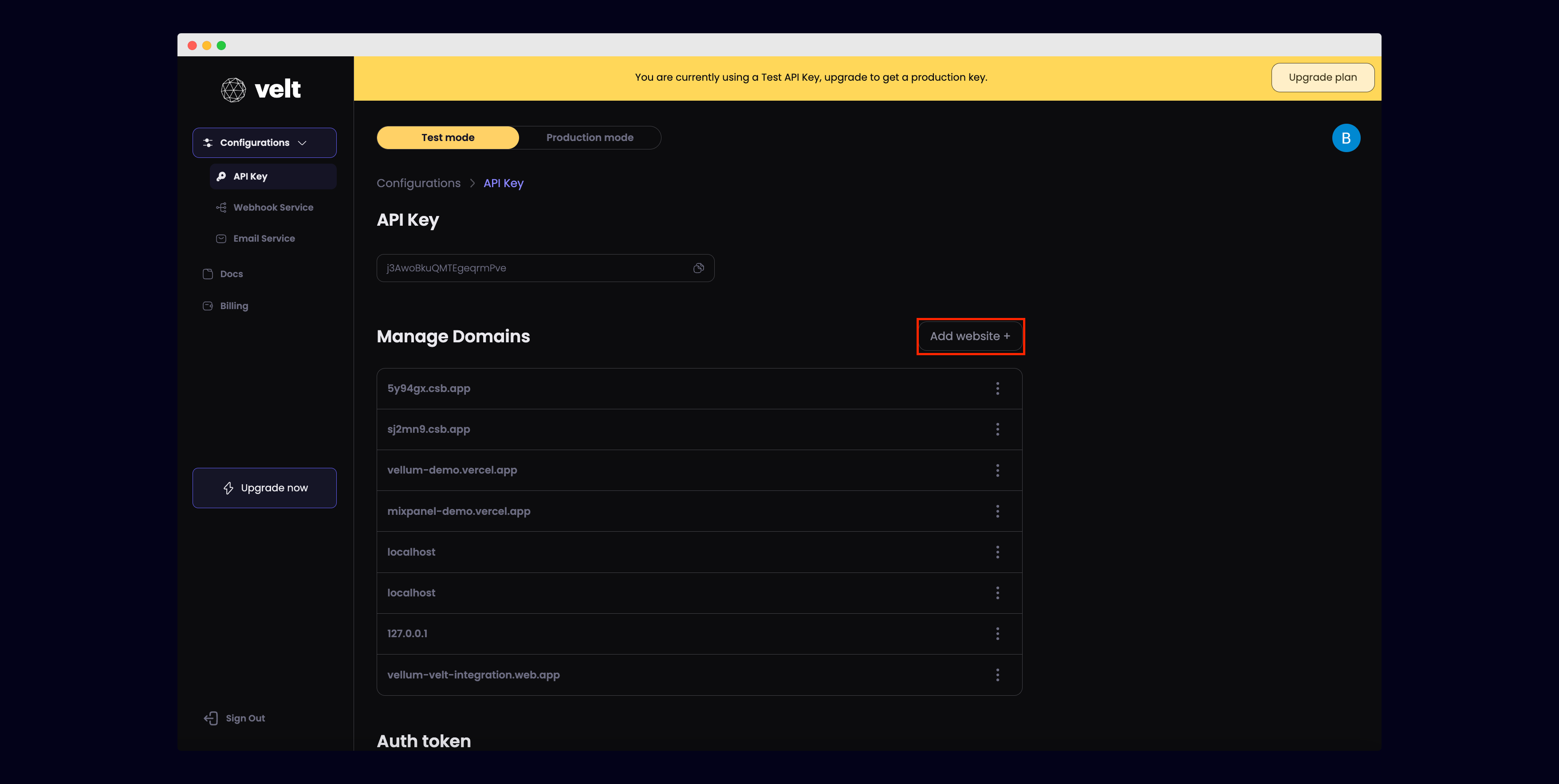
Add the VeltProvider
Add the VeltProvider component to the root of your app.Add your Velt API key.
import { VeltProvider } from '@veltdev/react';
<VeltProvider apiKey="YOUR_API_KEY">
<YourRootComponent/>
</VeltProvider>
We recommend following the setup guide that uses
React / Next.js with Hooks for a cleaner experience.Install types (optional)
If you’re using TypeScript, you can install the types package.
npm install --save-dev @veltdev/types
Grab your Velt API Key
Go to console.velt.dev and grab your Velt API Key
Safelist your domain
In the Velt console, add the URL where your app is deployed to the list of Managed Domains.
Add the VeltProvider
Add the VeltProvider component to the root of your app.Add your Velt API key.
import { VeltProvider } from '@veltdev/react';
<VeltProvider apiKey="YOUR_API_KEY">
<YourRootComponent/>
</VeltProvider>
Grab your Velt API Key
Go to console.velt.dev and grab your Velt API Key
Safelist your domain
In the Velt console, add the URL where your app is deployed to the list of Managed Domains.
Import the Velt Script tag
<script type="module" src="https://cdn.velt.dev/lib/sdk@latest/velt.js" onload="loadVelt()"></script>
Install types library (optional)
If you are using Typescript, install the types library:
npm i @veltdev/types --save-dev
Grab your Velt API Key
Go to console.velt.dev and grab your Velt API Key
Safelist your domain
In the Velt console, add the URL where your app is deployed to the list of Managed Domains.
Add Custom Elements Schema in App Module
Add
schemas: [CUSTOM_ELEMENTS_SCHEMA] to your App Module:import { CUSTOM_ELEMENTS_SCHEMA, NgModule } from '@angular/core';
import { BrowserModule } from '@angular/platform-browser';
import { AppRoutingModule } from './app-routing.module';
import { AppComponent } from './app.component';
@NgModule({
declarations: [
AppComponent
],
imports: [
BrowserModule,
AppRoutingModule
],
providers: [],
bootstrap: [AppComponent],
schemas: [CUSTOM_ELEMENTS_SCHEMA], // Add this line
})
export class AppModule { }
Install types library (optional)
If you are using Typescript, install the types library:
npm i @veltdev/types --save-dev
Grab your Velt API Key
Go to console.velt.dev and grab your Velt API Key
Safelist your domain
In the Velt console, add the URL where your app is deployed to the list of Managed Domains.
Allow Velt Elements in Main.js
In main.js, add the following code to allow Velt elements in your Vue app:
Vue.config.ignoredElements = [
/velt-*/
]
'use client' // Add this line for Next.js only

import { VeltProvider } from '@veltdev/react';

export default function App() {

  return (
    <VeltProvider apiKey="YOUR_API_KEY">
      <YourRootComponent/>
    </VeltProvider>
  );
}